
Guide
Turn Photos Into a Video With Music, No App
Four ways to turn the photos on your phone into a short video with music, what each one is good at, and how to pick the photos.
What is the easiest way to turn photos into a video with music?
For free and fast, use the Photos app already on your phone. To have every photo move without doing any editing, send your photos to Make It Motion on WhatsApp and the finished video comes back in the same chat.
The four ways below go from the most hands-on to the least. All of them work on a phone.
Way 1: your phone’s Photos app
It is free and already installed: Apple Photos makes Memory movies, and Google Photos makes highlight videos, both with music from a built-in library.
- iPhone: open an album in Photos and tap the Movie button, or let Photos suggest a Memory. Tap the music icon to change the song. On iPhones with Apple Intelligence you can also describe the movie you want in a sentence.
- Android and Google Photos: tap the plus button, choose Highlight video, pick your photos, then choose music from Google’s library.
Good for: a quick video at no cost. Limits: the photos stay still apart from a slow zoom or pan, the music comes from the app’s library, and a mix of vertical and horizontal photos can leave empty bars around some of them.
Way 2: an editing app
Editing apps such as CapCut or Canva give you full control of order, timing, text and music, in exchange for your time.
- Import your photos in the order you want them.
- Give each photo two to three seconds on screen.
- Add music, titles and transitions.
- Export in the shape you need: vertical for Reels, Stories and Status, horizontal for a TV or YouTube.
Good for: people who enjoy editing and want every detail their way. Limits: it takes practice, and a song you do not own the rights to can get your video muted or blocked on social media.
Way 3: an AI tool that makes each photo move
AI image-to-video tools turn one still photo into a few seconds of real motion: water moves, hair blows, the camera drifts. Most work one photo at a time, so you still put the clips together and add the music yourself.
Good for: one striking moving photo. Limits: for a whole album you repeat the work for every photo, most tools charge per clip, and AI can get a detail wrong, so check each clip before you share it.
Way 4: send the photos on WhatsApp, with no app and no editing
With Make It Motion you send your photos in a WhatsApp chat, and about 20 to 30 minutes later a finished video comes back: every photo used in your order, brought to life with AI motion and camera moves, with music made for your video.
- Send your photos in WhatsApp, with a few words about them: a trip, a birthday, your café.
- Say yes to the plan. You get a short plan and a fixed price before anything is made.
- Watch the preview. A watermarked preview arrives in the chat. Tap Approve, or tap Change something to change the music, a title or a photo.
- Keep the video. After you approve, you get the full-quality MP4 with a Download button.
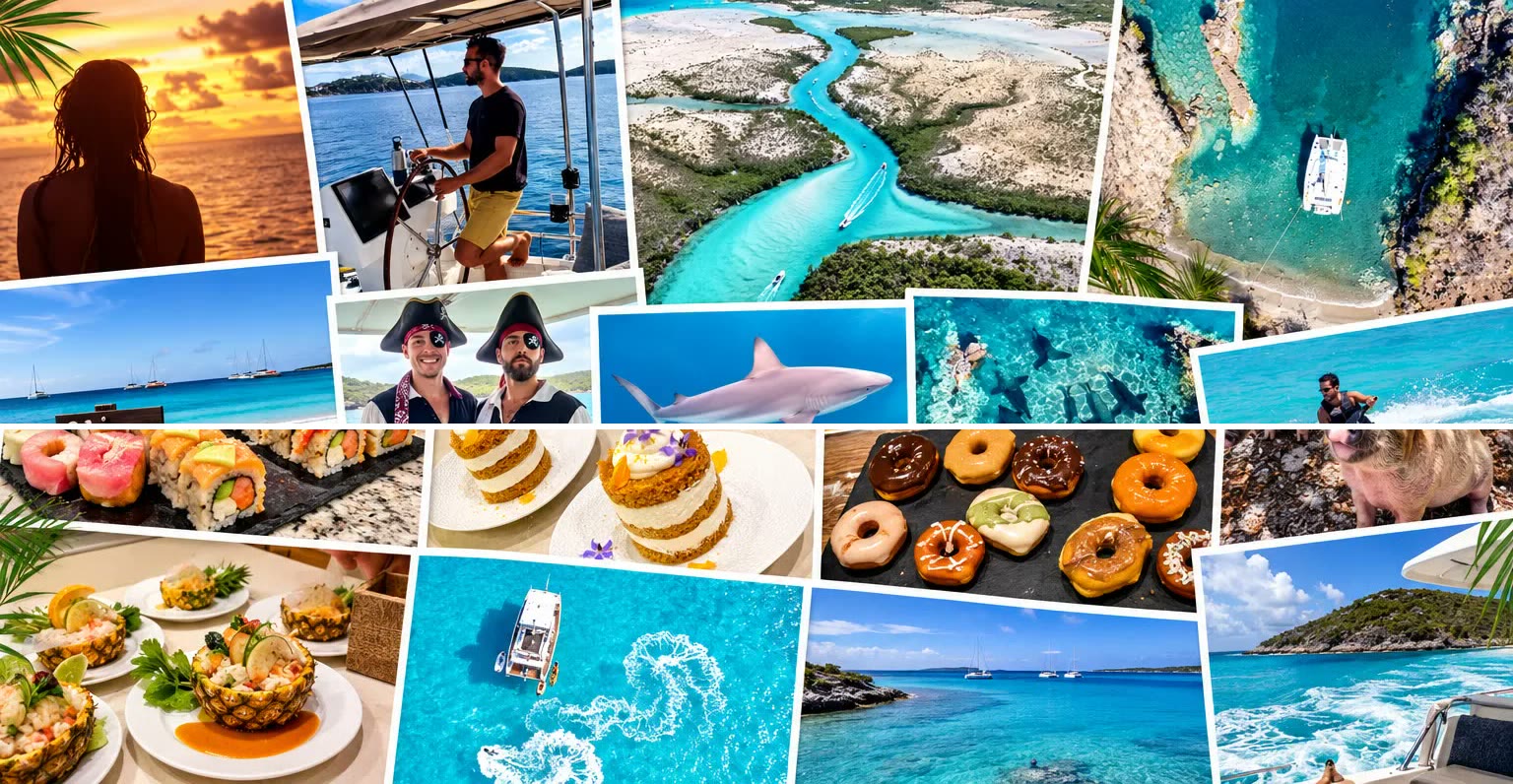
Our own trip photos, made the same way a customer order is made.
Good for: a finished video where your photos move, made from your phone with no editing. Limits: it is a paid service (you watch a free preview first), it works in English for now, and AI motion can get a detail wrong, which is why you always see a preview first. See the plans and prices.
Which way should you choose?
Choose by what matters most to you: no cost, full control, or not doing the work at all.
| Way | Cost | Your time | Do the photos move? | Music |
|---|---|---|---|---|
| Your phone’s Photos app | Free | A few minutes | No, still photos with zoom and pan | From the app’s library |
| An editing app | Free or paid | The most: you edit it yourself | Only with effects you add | Your choice |
| An AI image-to-video tool | Usually paid | One photo at a time, then editing | Yes | You add it |
| Make It Motion on WhatsApp | Fixed price, shown before you pay | A few minutes to send the photos | Yes, every photo | Made for your video |
How many photos should you use, and which ones?
Ten to twenty photos make a video of roughly half a minute to a minute. Pick photos with one clear subject, and mix close-ups with wide shots.
- Tell it in order. Arrival, the best moments, the last evening. A video follows the order you choose.
- Choose sharp, well-lit photos. Motion makes blur and darkness more visible, not less.
- Leave out screenshots and photos of text. They do not move well and small writing can get cut off.
- Send the originals. A photo that has been forwarded many times has lost detail.
- Ask before you include other people, and a parent or guardian before you include a child.
For scale: our 18 trip photos above became a 52 second video.
Questions
Can I turn photos into a video without downloading an app?
Yes. The Photos app already on your phone can make a video with music: Memories on iPhone, highlight videos in Google Photos. Or you can send the photos to Make It Motion in a WhatsApp chat and get a finished video back, with nothing to install.
Is there a free way to make a video from photos with music?
Yes. Apple Photos and Google Photos make videos with music for free, and many editing apps have free versions. They keep your photos still, with a gentle zoom or pan.
Can I use my own song?
In your Photos app and in editing apps, usually yes. Be careful with songs you do not own the rights to: a video that uses one can be muted or blocked when you post it on social media. Make It Motion makes original music for each video.
How long does it take with Make It Motion?
About 20 to 30 minutes after you say yes to the plan. The preview arrives in the same WhatsApp chat.
What happens to my photos?
Make It Motion uses them only to make your video, deletes them 7 days after delivery, and keeps the video for 30 days. Download links expire after 24 hours.
Can I include photos of my children?
Yes, if you are their parent or guardian, or you have a parent or guardian’s permission.
More about how we handle photos is in our privacy policy.
More guides: Make a photo talk, What a video from photos costs, Make a business promo video from photos, Animate an old family photo, Make a restaurant promo video, Make a real estate video from listing photos